If you’re a digital marketing agency, freelancer, or small business owner exploring the powerful SaaS platform GoHighLevel, one of the first questions you probably ask is: Does GoHighLevel have templates?
The answer is yes — GoHighLevel offers a wide range of templates that help you save time, reduce effort, and launch faster. These templates cover websites, funnels, workflows, emails, and even automation sequences.
In this guide, we’ll explore:
- What types of templates GoHighLevel provides
- How templates fit into automation, CRM, and SaaS mode
- A breakdown of features, pricing, pros and cons
- FAQs and a practical conclusion with an action plan
By the end, you’ll clearly understand how templates can help your business grow and scale efficiently.
Table of Contents
Does GoHighLevel Have Templates?
Types of Templates
GoHighLevel offers multiple types of templates designed to speed up your setup and marketing processes. These include:
- Website & Funnel Templates
Pre-built website and sales funnel layouts for different industries such as real estate, coaching, plumbing, fitness, roofing, etc. You can import them with one click and customize as needed. - Workflow & Automation Templates
These templates automate follow-ups, lead nurturing, client onboarding, and appointment scheduling. Instead of building automations from scratch, you can start from ready-made sequences. - Email & SMS Templates
GoHighLevel provides ready-to-use email templates and SMS message formats for marketing campaigns, reminders, and promotions. - Social Media Templates
Within the Social Planner, you can use templates for post scheduling and campaign planning. - Form & Contract Templates
GoHighLevel also supports reusable templates for forms, surveys, and contracts, making client onboarding and data collection faster.
👉 Claim Your GoHighLevel Trial Now 👈
How To Access & Use Templates
Using templates in GoHighLevel is simple and intuitive:
- Website/Funnel Templates: Navigate to Sites → Funnels or Websites → Template Library and choose from available designs.
- Workflow Templates: Go to Automation → Workflows → Create Workflow → Select from Template.
- Email & SMS Templates: Access through the Marketing tab to create or load pre-made campaigns.
- Customization: You can modify text, colors, images, and layouts to match your branding or client requirements.
Why Templates Matter
Templates are a major productivity booster for marketers and agencies. Here’s why:
- Time-Saving: Launch campaigns in hours, not days.
- Consistency: Maintain uniform branding across multiple clients.
- Scalability: Clone and reuse successful templates for future projects.
- Reduced Costs: Lower design and development expenses.
- Professional Presentation: Impress clients with polished designs from the start.
Template Limitations
While GoHighLevel’s Template Library is powerful, keep in mind a few limitations:
- The ability to create and share your own templates across client accounts is usually available only in higher-tier plans (like SaaS Pro).
- Some niche or industry-specific templates may need to be purchased from third-party marketplaces.
- Templates provide a starting point — customization is still necessary for branding and optimization.
- Full template library access for clients may depend on your agency settings and permissions.
In short, GoHighLevel does have templates, but how deeply you can use and share them depends on your plan and business goals.

Feature Breakdown: Templates Inside GoHighLevel
Let’s explore how templates integrate into GoHighLevel’s main features.
1. GoHighLevel CRM
GoHighLevel’s CRM allows you to manage leads, contacts, and opportunities. Templates play a big role here through:
- Pre-built email and SMS templates for lead nurturing
- Automation workflows triggered when leads move through the pipeline
- Onboarding templates to streamline new customer journeys
This creates a consistent, automated experience that saves time and improves lead conversion.
👉 Claim Your GoHighLevel Trial Now 👈
2. Funnels, Websites & Landing Pages
GoHighLevel includes a robust funnel and website builder with drag-and-drop functionality. Templates enhance this by allowing you to:
- Quickly launch industry-specific websites
- Use funnel templates for lead capture, checkout, and thank-you pages
- Customize designs to fit your branding
These templates are especially helpful for agencies managing multiple clients who need quick and consistent setup.
3. GoHighLevel Automation
GoHighLevel automation is one of its strongest features — and templates make it even easier to use.
Automation templates include:
- Lead nurture workflows
- Appointment scheduling reminders
- Abandoned cart recovery
- Client onboarding sequences
- Review request automation
You can import a workflow template, adjust the triggers and actions, and go live immediately.
4. White Label & SaaS Mode
For agencies using GoHighLevel in white-label or SaaS mode, templates become a massive advantage.
- White-Label Branding: You can rebrand GoHighLevel with your own name, logo, and domain so clients see it as your software.
- SaaS Mode: In SaaS Pro, you can automate client account creation, set custom pricing, and use your own template library to deliver ready-made campaigns.
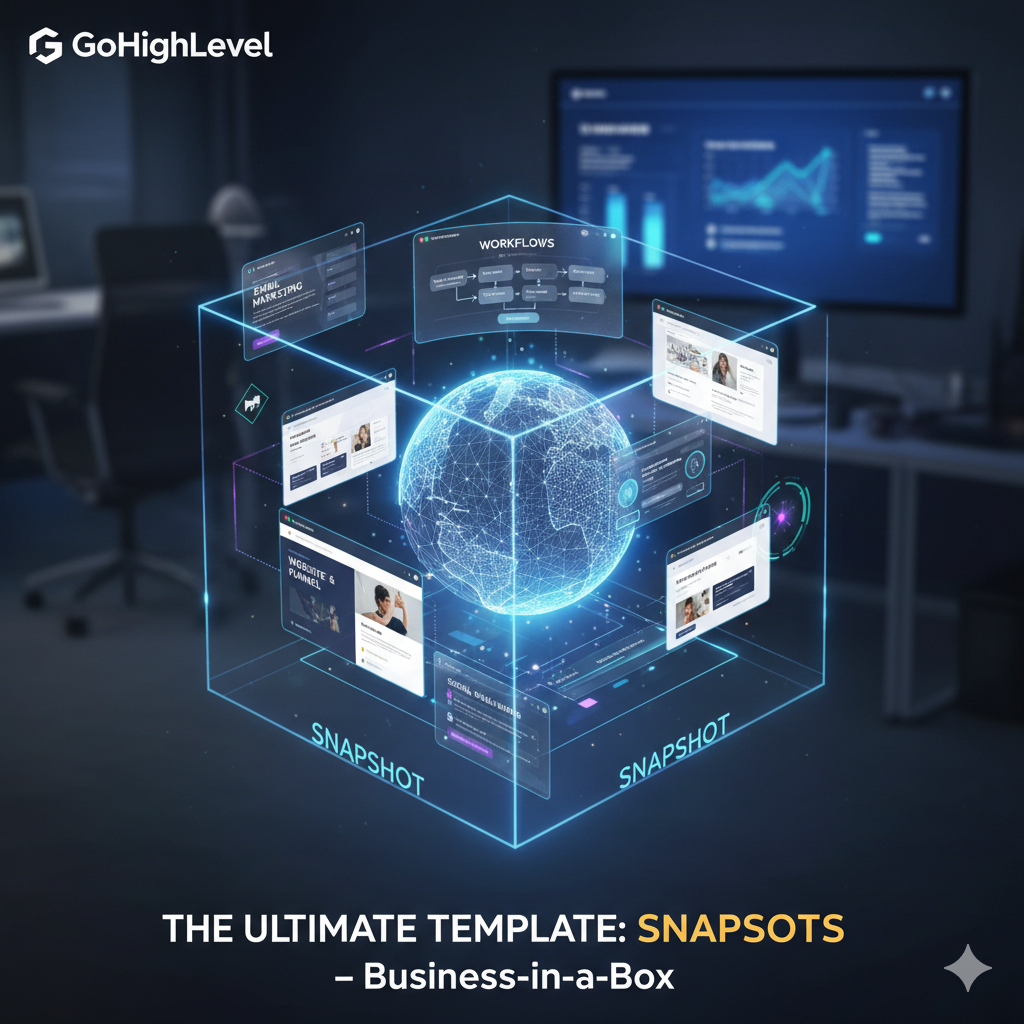
This allows you to launch a software business with pre-built marketing templates — a true “business in a box.”
5. GoHighLevel Affiliate Program
If you’re part of the GoHighLevel affiliate program, templates are a strong selling point. When promoting GoHighLevel, you can offer potential clients or referrals access to your own high-converting templates.
This not only helps them get started faster but also makes your affiliate offer stand out.
6. Integration & Customization
Templates work seamlessly with GoHighLevel’s integrations and modules:
- Connect templates with CRM, calendars, and payment gateways.
- Add tags, triggers, and custom fields.
- Adjust layouts, text, and automations to suit different niches.
Advanced users can even build their own reusable templates for client deployment, ensuring repeatable success.
GoHighLevel Pricing and Template Access
Pricing Overview
GoHighLevel offers three main pricing plans, each with different template capabilities.
| Plan | Monthly Price | Template Features | Best For |
|---|---|---|---|
| Starter Plan | $97/month | Access to built-in template library | Freelancers & small businesses |
| Agency Unlimited | $297/month | Unlimited sub-accounts + template reuse | Digital marketing agencies |
| SaaS Pro | $497/month | Add your own templates + white-label SaaS mode | Agencies launching SaaS businesses |
Note: Pricing may vary depending on promotions or updates.
Template Value by Plan
- Starter Plan ($97/month):
Perfect for small business owners or solopreneurs. You get access to GoHighLevel’s default templates but can’t share custom ones across multiple clients. - Agency Unlimited ($297/month):
Ideal for growing agencies. You can use templates across unlimited sub-accounts and maintain consistent branding for multiple clients. - SaaS Pro ($497/month):
Designed for agencies wanting to build a full SaaS business. You can create and distribute your own templates, manage white-label branding, and automate client setup.
Return on Investment (ROI)
Using templates dramatically boosts ROI by reducing build time and outsourcing costs. Agencies can onboard more clients with less work, while freelancers can deliver professional projects faster.
If you’re scaling a marketing business, templates allow you to build repeatable systems that drive consistent revenue without increasing workload.
👉 Claim Your GoHighLevel Trial Now 👈
Pros and Cons of GoHighLevel Templates
Pros
✅ Speed: Launch funnels, websites, and automations in hours.
✅ Consistency: Maintain branding and process standards across clients.
✅ Scalability: Reuse templates to grow your business efficiently.
✅ Integration: Combine templates with workflows, CRM, and automation tools.
✅ White-Label Ready: Rebrand and resell templates under your own business name.
✅ Professional Quality: Templates are industry-tested and conversion-optimized.
Cons
⚠️ Learning Curve: Even with templates, understanding workflows and automations takes time.
⚠️ Customization Required: Templates are a starting point — you’ll still need to personalize them.
⚠️ Limited Sharing in Lower Plans: Full template library control requires higher-tier plans.
⚠️ Extra Add-Ons: Some advanced white-label features may require additional fees.
⚠️ Third-Party Dependency: For niche templates, you may rely on external marketplaces.
Frequently Asked Questions (FAQs)
Q1. Does GoHighLevel include templates in all plans?
Yes, every plan includes access to the built-in template library for websites, funnels, and workflows.
Q2. Can I create my own templates?
Yes, you can create custom templates, especially in higher plans like SaaS Pro, where you can share them across sub-accounts.
Q3. Are the templates industry-specific?
Yes, GoHighLevel offers templates for various industries such as real estate, salons, roofing, gyms, dental clinics, and more.
Q4. Can I import third-party templates?
Yes, you can import templates from third-party marketplaces or other GoHighLevel users.
Q5. Are templates included at no extra cost?
Yes, built-in templates come free with your plan. However, premium third-party templates may cost extra.
Q6. Do templates work with automations?
Absolutely. You can link templates to automations — for example, triggering a workflow after someone fills out a page form.
Q7. Do I need to be a tech expert to use templates?
No, GoHighLevel’s drag-and-drop interface makes it beginner-friendly, though learning basic structure and automation logic is helpful.
Get 30 Days Free Trial + Free Live Bootcamp to Launch HighLevel Together
Conclusion
So, does GoHighLevel have templates? — Yes, and they’re a game changer.
GoHighLevel provides an all-in-one system for CRM, automation, marketing, and sales — and its powerful templates make it even faster to use. Whether you’re creating a landing page, a workflow, or a full automation funnel, templates help you save time, reduce costs, and scale your business efficiently.
For agencies and freelancers, templates are your key to speed and scalability. For small businesses, they’re the shortcut to professional-quality marketing without hiring developers or designers.
Call to Action
If you haven’t tried GoHighLevel yet, now’s the perfect time.
Sign up for a free trial, explore the template library, and see how easily you can launch your next campaign, funnel, or automation — all within one platform.
Get 30 Days Free Trial + Free Live Bootcamp to Launch HighLevel Together