

Introduction
Digital marketing agencies, freelancers, and small business owners often search for a unified platform that combines CRM, marketing automation, and SaaS capabilities. GoHighLevel has quickly become a go-to solution for many. One question that frequently comes up is:
“Can you import a website into GoHighLevel?”
The short answer is: not directly in the traditional sense, but GoHighLevel offers flexible tools and workarounds that allow you to replicate or integrate your existing website efficiently. In this guide, we’ll explore the details, features, pros and cons, pricing, and practical steps to make your website work seamlessly within GoHighLevel.
Table of Contents
Understanding GoHighLevel
Before diving into website importation, it’s essential to understand what GoHighLevel is and what it offers:
- All-in-One CRM: Manage leads, deals, and contacts in a single platform.
- Marketing Automation: Set up automated campaigns, follow-ups, and workflows.
- SaaS Mode & White Label: Agencies can offer GoHighLevel as their own branded software.
- Funnel & Website Builder: Build landing pages and websites natively within GoHighLevel.
- Affiliate Program: Earn through GoHighLevel referrals while providing solutions to clients.
These features make it a versatile platform for digital marketers and agencies aiming to streamline client workflows and campaigns.
👉 Claim Your GoHighLevel Trial Now 👈
Can You Import a Website into GoHighLevel?
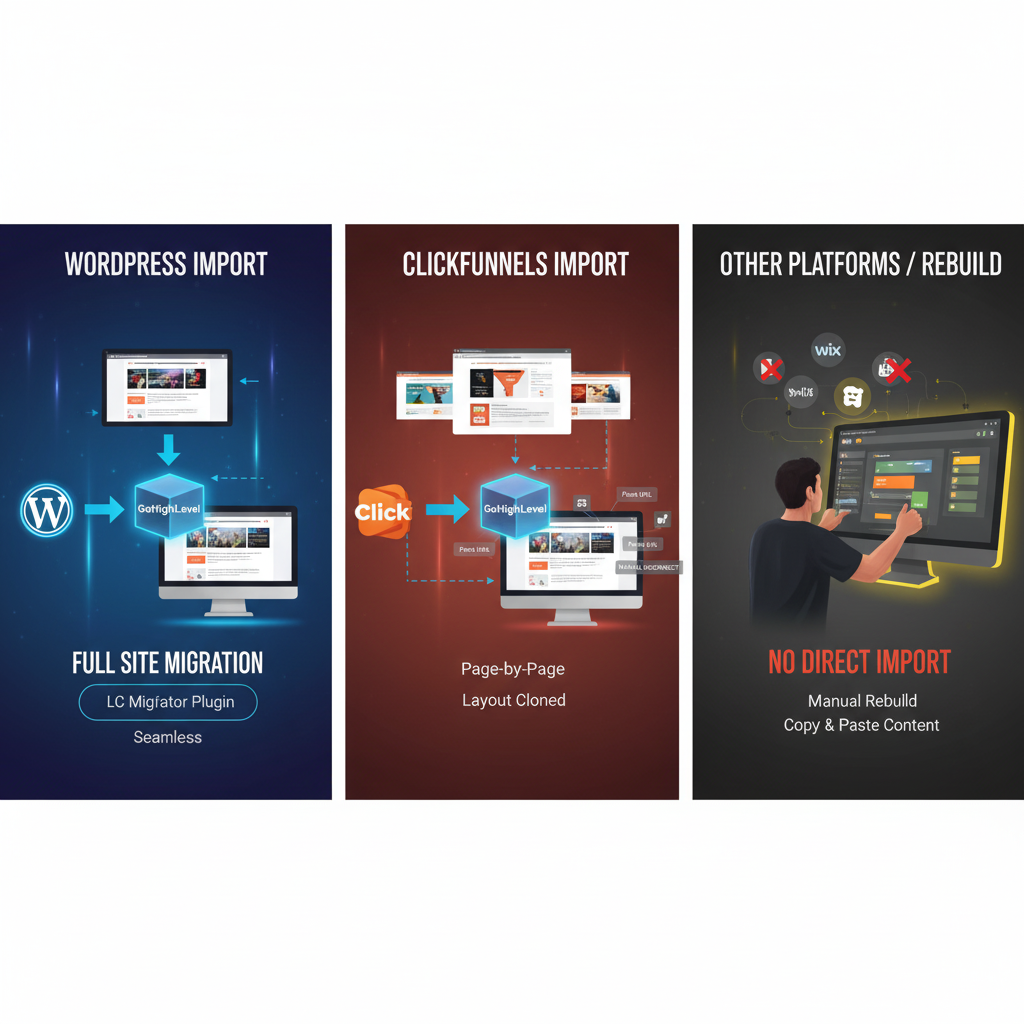
The straightforward answer: No, you cannot directly import an existing website like a WordPress site or HTML template into GoHighLevel’s native website builder. However, there are ways to replicate or integrate your website:
1. Rebuilding the Website Using GoHighLevel’s Page Builder
GoHighLevel offers a drag-and-drop page builder similar to other page builders like ClickFunnels or Elementor. Steps include:
- Create a new page within GoHighLevel.
- Use pre-built templates or custom blocks.
- Manually copy content, images, and design elements from your original site.
- Test responsiveness on desktop and mobile devices.
Pros:
- Full control over design and conversion optimization.
- Integrated with GoHighLevel automation and CRM.
Cons:
- Manual effort required for large websites.
- Some complex features may require custom coding or third-party tools.
2. Embedding Existing Web Pages
If rebuilding isn’t feasible:
- Use an iframe to embed an existing page into your GoHighLevel site.
- This method maintains your original site design but may have limitations with SEO and responsiveness.
Pros:
- Quick setup for existing content.
- Retains your current design and hosting.
Cons:
- Limited customization within GoHighLevel.
- Slower load times and potential mobile display issues.
3. Using Third-Party Integrations
GoHighLevel supports integrations via Zapier, APIs, and custom code, which allows you to:
- Sync forms, CRM data, and lead captures from your current website.
- Trigger GoHighLevel automations from external websites.
Pros:
- Keeps your original website intact.
- Automates lead capture and marketing campaigns.
Cons:
- Requires technical setup or developer assistance.
Features That Make GoHighLevel Ideal for Website Migration
Even if you cannot import websites directly, GoHighLevel’s ecosystem allows you to manage and enhance your digital presence effectively:
- Landing Page Builder: Create high-converting landing pages and mini-sites.
- CRM Integration: Centralize client data from website forms and leads.
- Email & SMS Automation: Follow up automatically with leads captured from any website.
- Membership Sites: Convert website content into membership or course platforms.
- White-Label SaaS Mode: Offer clients a fully branded portal without hosting their site separately.
Pros and Cons of Using GoHighLevel for Website Migration
Pros
- Integrated CRM and marketing automation.
- Native drag-and-drop builder simplifies website creation.
- SaaS and white-label capabilities for agencies.
- Powerful funnel and landing page tools for lead generation.
- Connects with multiple marketing channels (SMS, email, voice).
Cons
- Cannot directly import full websites from other platforms.
- Manual migration may be time-consuming for complex sites.
- Limited flexibility for highly customized designs.
- Learning curve for first-time users.
GoHighLevel Pricing Overview
Understanding pricing is essential if you’re considering GoHighLevel for website hosting, marketing, and CRM:
| Plan | Monthly Price | Key Features |
|---|---|---|
| Agency Starter | $97 | CRM, marketing automation, 2 sub-accounts, limited funnels |
| Agency Unlimited | $297 | Unlimited sub-accounts, full automation, reporting, and funnels |
| SaaS Mode Add-On | $497 | White-label portal, client billing, fully branded SaaS platform |
Key Notes:
- GoHighLevel offers 30-day free trials to test features.
- Pricing is competitive when compared to paying separately for CRM, website hosting, landing pages, and marketing tools.
👉 Claim Your GoHighLevel Trial Now 👈
FAQs About Website Migration and GoHighLevel
1. Can I import my WordPress website into GoHighLevel?
No direct import exists, but you can manually rebuild pages or embed via iframes.
2. Will GoHighLevel handle SEO for my imported site?
Yes, for pages built in GoHighLevel, you can optimize meta tags, headings, and URLs. Embedded pages rely on the original site’s SEO.
3. Can GoHighLevel host my website?
Yes, websites built within GoHighLevel are hosted on their platform with SSL support included.
4. Is GoHighLevel suitable for agencies wanting white-label solutions?
Absolutely. With SaaS mode, agencies can brand the platform, host client websites, and offer CRM services under their own brand.
5. Does GoHighLevel integrate with third-party websites?
Yes, through Zapier, APIs, and webhooks, you can sync forms, leads, and automations from any external website.
Conclusion
So, can you import a website into GoHighLevel? While direct import isn’t supported, GoHighLevel provides multiple ways to replicate, integrate, and enhance your website experience. Agencies and small business owners benefit from its all-in-one CRM, marketing automation, SaaS, and white-label capabilities, making it a robust alternative to managing multiple disconnected tools.
If you’re ready to consolidate your marketing stack, improve lead conversion, and manage client campaigns efficiently, GoHighLevel is worth exploring.
Call to Action:
Start your GoHighLevel free trial today and experience seamless website creation, marketing automation, and CRM integration – all in one platform.
👉 Claim Your GoHighLevel Trial Now 👈

![Read more about the article Is Go HighLevel a CRM? [Full 2025 Review for Agencies & Entrepreneurs]](https://vkreview.com/wp-content/uploads/2025/11/Is-GoHighLevel-a-CRM-Full-2025-Review-for-Agencies-Entrepreneurs-300x300.png)