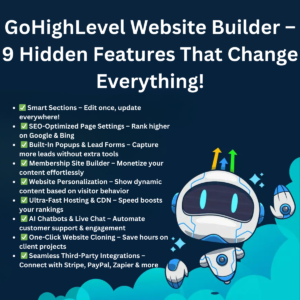

Introduction: Can You Really Build Websites with GoHighLevel?
If you’ve ever asked yourself, “Can I build websites with GoHighLevel?” — the short answer is yes, absolutely.
GoHighLevel (often called GHL) is far more than a CRM or marketing automation platform. It’s a complete all-in-one digital agency toolkit that includes a powerful drag-and-drop website builder. With it, you can design landing pages, sales funnels, full business websites, and even client portals — all without touching a single line of code.
Table of Contents
In this article, we’ll dive deep into everything you need to know about using GoHighLevel to build websites — including features, pricing, automation, pros & cons, real-world applications, and how it compares to other builders like WordPress or Wix.
1. What is GoHighLevel?
GoHighLevel is an all-in-one marketing automation and CRM platform built primarily for digital marketing agencies, freelancers, and small businesses who want to automate their marketing and sales.
At its core, it combines multiple tools into one unified dashboard:
- Website & Funnel Builder
- CRM (Customer Relationship Management)
- Email, SMS, and WhatsApp Automation
- Pipeline & Lead Tracking
- Appointment Scheduling
- SaaS Mode & White Labeling
So, instead of paying for separate subscriptions like ClickFunnels, Mailchimp, Calendly, and Pipedrive, you can manage everything under one roof with GoHighLevel.
👉 Claim Your GoHighLevel Trial Now 👈
2. Can You Build Websites with GoHighLevel?
✅ Yes, You Can — and Here’s How
GoHighLevel’s drag-and-drop website builder allows you to create:
- Full-fledged websites for businesses
- Landing pages and lead capture funnels
- Membership and eLearning sites
- E-commerce-style product pages
- Blog pages (coming soon to all plans)
Everything you need to design, publish, and host websites is included — no third-party integration required.
🧩 Key Features of GoHighLevel’s Website Builder
- Drag-and-Drop Editor:
Create beautiful websites easily without coding skills. Add sections, forms, images, buttons, or videos in minutes. - Custom Domains:
Connect client or business domains easily (e.g., www.yourbusiness.com). - Templates & Funnels:
Start with 100+ templates for agencies, real estate, coaches, dentists, and more. - Built-In Hosting:
No need for external hosting like Bluehost or SiteGround. Hosting is included. - Mobile Optimization:
All pages are responsive by default — ensuring they look great on phones and tablets. - Built-In SEO Settings:
Add page titles, meta descriptions, and schema markup directly inside the builder. - Integration with CRM:
Capture leads directly into your GoHighLevel CRM. Every form submission is tracked, automated, and followed up instantly.
3. Step-by-Step: How to Build a Website in GoHighLevel
If you’re new to GoHighLevel, here’s a simple walkthrough:
Step 1: Log in to Your Dashboard
Once you’ve set up your GoHighLevel account, go to the “Sites” tab.
Step 2: Create a New Funnel or Website
You can choose a pre-designed template or start from scratch. The templates are industry-specific, helping you get started quickly.
Step 3: Use the Drag-and-Drop Builder
Add sections, headlines, buttons, and forms. Customize fonts, colors, and layouts to match your brand identity.
Step 4: Add Forms and Automations
Embed lead capture forms connected to your CRM. You can trigger follow-up emails or SMS using GoHighLevel automation.
Step 5: Connect Your Domain
Publish your site using a custom domain (e.g., www.youragency.com) directly from your dashboard.
Step 6: Go Live
Hit “Publish,” and your website is live — hosted securely on GoHighLevel’s cloud servers.
👉 Claim Your GoHighLevel Trial Now 👈
4. Why Use GoHighLevel for Website Building?
🧠 All-in-One Ecosystem
Unlike WordPress or Wix, GoHighLevel integrates CRM, email, funnels, booking, and automation in one platform. You don’t need plugins or multiple tools.
⚙️ Automation and CRM Integration
Every website you build can automatically capture leads, store them in your CRM, and launch follow-up sequences using GoHighLevel automation.
💼 White Label Capability
In GoHighLevel white label mode, agencies can rebrand the platform — offering websites and CRM under their own company name.
💰 Recurring Revenue with SaaS Mode
With GoHighLevel SaaS mode, you can sell websites and CRM access as a subscription service — creating a steady monthly income.
5. GoHighLevel vs Other Website Builders
| Feature | GoHighLevel | WordPress | Wix | ClickFunnels |
|---|---|---|---|---|
| Drag-and-Drop Editor | ✅ Yes | ⚙️ Requires Plugin | ✅ Yes | ✅ Yes |
| CRM Integration | ✅ Built-In | ❌ External Plugin | ❌ | ✅ |
| Hosting | ✅ Included | ⚙️ Requires Hosting | ✅ Included | ✅ Included |
| Automation | ✅ Advanced | ⚙️ Limited | ❌ | ✅ |
| White Label | ✅ Available | ❌ | ❌ | ❌ |
| SaaS Resell Option | ✅ Yes | ❌ | ❌ | ❌ |
Verdict:
If your goal is to build and sell websites for clients while managing leads and automations in one place, GoHighLevel clearly stands out.
6. GoHighLevel Pricing (2025 Updated)
GoHighLevel offers tiered pricing designed for different user types — from freelancers to full-scale agencies.
| Plan | Monthly Price | Features |
|---|---|---|
| Starter (Agency Starter Account) | $97/month | Full CRM, website builder, email/SMS automation |
| Unlimited (Agency Unlimited Account) | $297/month | Unlimited sub-accounts, white label option, API access |
| SaaS Pro Mode | $497/month | Everything in Unlimited + SaaS reselling, rebilling, and advanced automation |
💡 Pro Tip: If you want to sell websites and CRMs under your own brand, the $497 SaaS Mode plan is the most profitable.
👉 Claim Your GoHighLevel Trial Now 👈
7. GoHighLevel Affiliate Program
GoHighLevel also offers an affiliate program for marketers and creators who refer new users to the platform.
- Earn 40% recurring commissions for each customer you refer.
- Promote GoHighLevel through blogs, YouTube, or your agency network.
- It’s a great passive income stream for digital marketers.
- 👉 Claim Your GoHighLevel Trial Now 👈
🔥 Set Up GoHighLevel White Label 🔥In Just 1 Day +Get 30 Days Free Trial + Free Live Bootcamp to Launch GoHighLevel SAAS Together
8. Pros and Cons of Building Websites with GoHighLevel
✅ Pros
- All-in-one platform (CRM + Automation + Website)
- No coding or extra hosting required
- Excellent for agencies with multiple clients
- Built-in lead capture and tracking
- White label option for brand control
- SaaS mode for recurring income
⚠️ Cons
- Fewer design customization options than WordPress
- No native eCommerce checkout system (yet)
- Learning curve for beginners
- Limited third-party plugin support
9. Who Should Use GoHighLevel’s Website Builder?
GoHighLevel is ideal for:
- Marketing Agencies: Offer websites, CRM, and automation as a single package.
- Freelancers: Build and host multiple client websites under one dashboard.
- Small Businesses: Launch a professional website with built-in CRM and appointment booking.
- Coaches & Consultants: Use websites to collect leads, automate follow-ups, and sell online programs.
- 👉 Claim Your GoHighLevel Trial Now 👈
🔥 Set Up GoHighLevel White Label 🔥In Just 1 Day +Get 30 Days Free Trial + Free Live Bootcamp to Launch GoHighLevel SAAS Together
10. FAQs About Building Websites with GoHighLevel
1. Do I need hosting for my GoHighLevel website?
No. Hosting is included with all GoHighLevel plans.
2. Can I connect my own domain?
Yes. You can easily connect any custom domain to your website.
3. Can I sell websites to clients using GoHighLevel?
Yes. With SaaS Mode, you can sell websites, funnels, and CRM access as your own branded product.
4. Does GoHighLevel support eCommerce?
It supports checkout pages and payment integration through Stripe, suitable for services or digital products.
5. Is GoHighLevel beginner-friendly?
Yes. Even non-technical users can build websites using templates and drag-and-drop tools.
6. Can I track website analytics in GoHighLevel?
Yes. You can view page performance, lead conversion rates, and visitor activity directly from the dashboard.
11. Expert Tips for Building Better Websites in GoHighLevel
- Use GoHighLevel automation to send follow-ups when someone fills out a form.
- Customize templates for your niche — don’t just use them as-is.
- Add chat widgets for instant lead capture.
- Optimize every page with proper SEO titles and meta tags.
- Use white label mode if you want to present the platform under your brand.
12. Real-World Example: How Agencies Use GoHighLevel
Marketing agencies across the world now use GoHighLevel to replace multiple tools:
- They design websites for local businesses (like dentists, gyms, or realtors).
- Every lead form submission triggers GoHighLevel automation for follow-up.
- The client gets a login to their CRM portal, branded under the agency’s name.
- Agencies then charge a monthly SaaS subscription for maintenance and automation — all built inside GoHighLevel.
This transforms agencies from project-based work to recurring monthly income.
13. Conclusion: Is GoHighLevel Worth It for Website Building?
So — can you build websites with GoHighLevel?
Yes, and much more than that.
GoHighLevel lets you design, host, automate, and sell websites — all in one unified system. Whether you’re a freelancer, marketer, or agency owner, it offers the flexibility and scalability to grow your business fast.
If you want to stop juggling multiple tools like WordPress, Mailchimp, and ClickFunnels — and instead use a single, powerful platform — GoHighLevel is a smart investment.
14. Call to Action
Ready to experience the power of GoHighLevel?
Start building websites, automating follow-ups, and scaling your agency under your own brand.
GoHighLevel empowers you to go beyond websites — it helps you build an entire business.
👉 Claim Your GoHighLevel Trial Now 👈
![Read more about the article ☁️ What Are the 4 Main Cloud Services? [Full Guide for 2025]](https://vkreview.com/wp-content/uploads/2025/11/☁️-What-Are-the-4-Main-Cloud-Services-Full-Guide-for-2025-300x300.png)
![Read more about the article 🚀 HighLevel vs ClickFunnels: Which Email Marketing Tool Wins? [2025]](https://vkreview.com/wp-content/uploads/2025/03/HighLevel-vs-ClickFunnels-300x188.png)