Introduction
If you’re running a digital marketing agency or small business, brand identity is everything. You want your customers to see your name — not another company’s platform — when they visit your website or log into their CRM dashboard.
That’s why many new GoHighLevel users ask:
👉 “Can I use my own domain with GoHighLevel?”
The short answer is YES. GoHighLevel fully supports custom domains for websites, funnels, memberships, and even client sub-accounts. This means you can use your own domain (like www.youragency.com) instead of GoHighLevel’s default domain (youragency.mygohighlevel.com).
In this detailed guide, we’ll cover everything you need to know about connecting your domain to GoHighLevel — including setup steps, pricing, features, pros and cons, FAQs, and expert tips to get the most out of your branded GoHighLevel setup.
Table of Contents
What Is GoHighLevel?
Before we get into domain setup, let’s quickly understand what GoHighLevel actually is.
GoHighLevel (often called “HighLevel”) is an all-in-one CRM and marketing automation platform designed for agencies, entrepreneurs, and SaaS owners. It replaces dozens of tools like:
- ClickFunnels (for funnels)
- HubSpot (for CRM)
- ActiveCampaign (for email automation)
- Calendly (for scheduling)
- WordPress or Wix (for website building)
With GoHighLevel, you can build websites, automate sales pipelines, manage clients, and even launch your own white-label SaaS business — all under your own brand.
Get 30 Days Free Trial + Free Live Bootcamp to Launch HighLevel Together
Can You Use Your Own Domain with GoHighLevel?
Absolutely! You can connect custom domains for:
- 🌐 Websites and Funnels – Host your client or business website on your own domain (e.g., www.yourbusiness.com).
- 🧠 Membership Sites – Use your domain for online courses or client areas.
- ⚙️ Client Portals (SaaS Mode) – White-label the GoHighLevel CRM so clients log in via app.youragency.com instead of app.gohighlevel.com.
- 📧 Email Sending Domains – Connect your domain to send branded emails through SMTP or Mailgun.
So not only can you use your own domain, but GoHighLevel also makes it easy to completely white-label the platform.
How to Connect Your Own Domain to GoHighLevel
Let’s walk through the step-by-step process for connecting a custom domain.
Step 1: Choose Your Domain
You can use any domain you own — for example:
- www.youragency.com
- clients.youragency.com
- crm.youragency.com
If you don’t have one yet, you can buy a domain from:
- GoDaddy
- Namecheap
- Google Domains
- Cloudflare
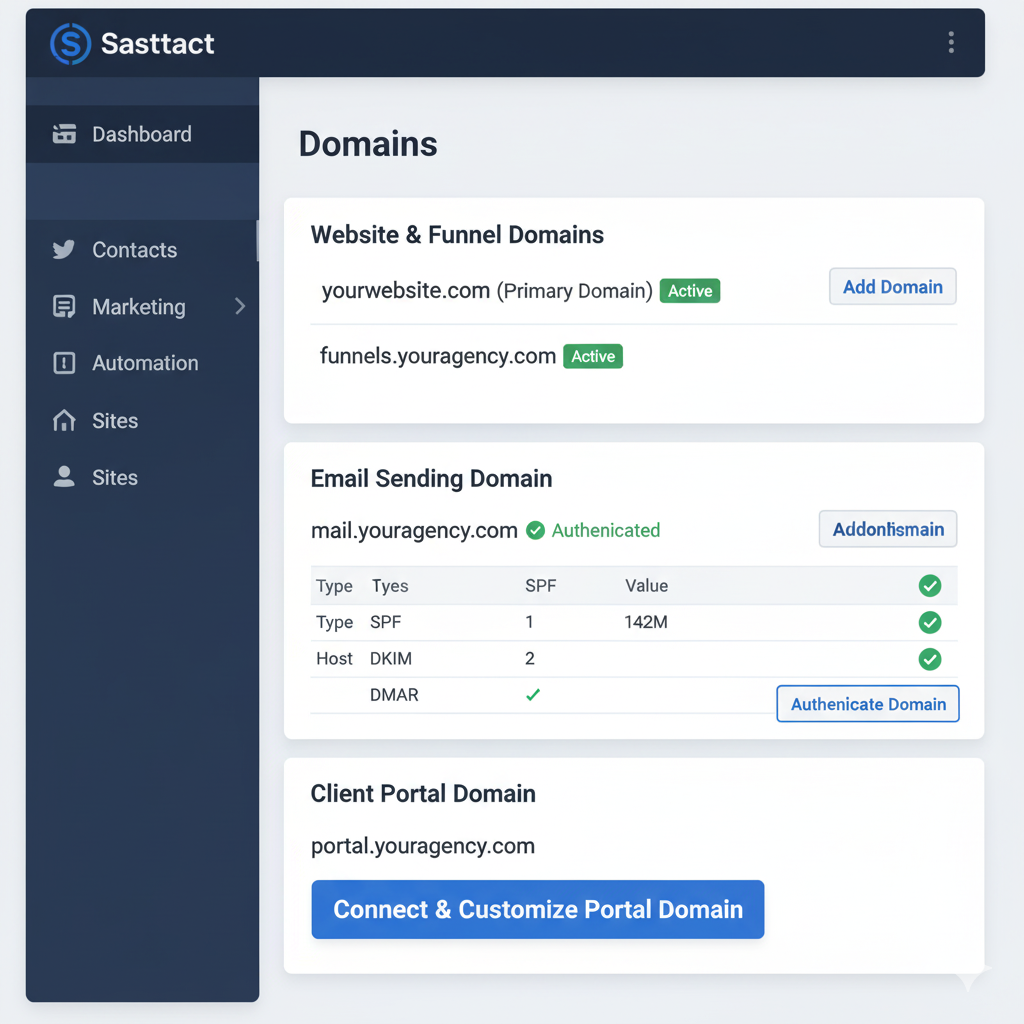
Step 2: Go to Settings → Domains in GoHighLevel
Inside your GoHighLevel dashboard:
- Click on Settings in the left sidebar.
- Choose Domains.
- Click “Add New Domain.”
Enter your domain or subdomain (e.g., crm.youragency.com).
Step 3: Update Your DNS Records
You’ll need to add a CNAME record in your domain registrar (GoDaddy, Cloudflare, etc.).
Example setup:
| Record Type | Name | Value | TTL |
|---|---|---|---|
| CNAME | crm | cname.msgsndr.com | Automatic |
This points your subdomain (crm.youragency.com) to GoHighLevel’s server.
Step 4: Verify Connection
Once you save your DNS record:
- Go back to GoHighLevel → Domains tab.
- Click “Check DNS Record.”
After propagation (usually 15–30 minutes), your domain should connect successfully.
Step 5: Assign the Domain to Funnels or Websites
You can now assign your connected domain to:
- A website you’ve built inside GoHighLevel
- A funnel
- A membership course
Go to Sites → Funnels/Websites → Settings → Domain and choose your new domain.
Step 6: Add SSL (HTTPS)
GoHighLevel provides free SSL certificates automatically. Once your domain is verified, click “Add SSL.”
Your custom domain is now secure and fully active!
GoHighLevel White Label Domains (SaaS Mode)
If you’re using GoHighLevel SaaS Mode, you can go one step further by white labeling your app domain.
This means clients log in via:
👉 https://app.youragency.com
instead of
👉 https://app.gohighlevel.com
Here’s what you can white label:
- Custom login URL
- Branded favicon and logo
- Your own app name and color scheme
- Branded emails and notifications
You’ll need a GoHighLevel Pro or Agency Unlimited plan to access this feature.
Why Use a Custom Domain with GoHighLevel?
1. Build Trust and Credibility
Using your own domain gives clients confidence that they’re dealing with a professional brand — not a generic platform.
2. Strengthen Brand Identity
Custom domains help keep your agency’s brand front and center across all client interactions.
3. Improve SEO
Hosting your site and funnels on your domain helps search engines index your content properly, improving SEO performance.
4. Better Email Deliverability
Using your own sending domain (e.g., @yourdomain.com) prevents emails from being flagged as spam.
5. Full Control Over Your Online Presence
You decide how your brand looks and feels — from the login screen to email templates.
GoHighLevel Pricing Overview
Connecting your own domain doesn’t cost extra — it’s included in all plans.
However, the SaaS Mode white-label domain feature is available on higher plans.
Here’s a breakdown of GoHighLevel pricing (2025):
| Plan | Monthly Price | Includes Custom Domain? | White Label/SaaS Mode |
|---|---|---|---|
| Starter Account | $97/mo | ✅ Yes (for funnels/websites) | ❌ No |
| Agency Unlimited | $297/mo | ✅ Yes | ✅ Partial (branding) |
| Agency Pro (SaaS Mode) | $497/mo | ✅ Yes | ✅ Full white label + SaaS features |
💡 Pro Tip: If you plan to resell GoHighLevel as your own software, go for the Agency Pro plan — it unlocks SaaS Mode, custom login domains, and automation billing through Stripe.
GoHighLevel Automation: Power Up Your Domain Setup
Once your domain is connected, you can use GoHighLevel Automation to enhance user experience and lead management.
Here are some smart automation ideas:
- 🔔 Auto-email leads from your domain after form submissions
- 📅 Auto-book appointments via branded calendar links
- 🧾 Invoice clients automatically using your domain-branded URLs
- 🧠 Tag and nurture leads through automated pipelines
- 💬 Trigger SMS follow-ups from your custom domain funnels
These workflows save hours and ensure every client touchpoint stays consistent with your brand.
Pros and Cons of Using Your Own Domain in GoHighLevel
✅ Pros
- Full brand control and professional appearance
- Better SEO for your website and funnels
- Secure HTTPS setup with free SSL
- Easy domain management from one dashboard
- Supports subdomains for multi-client setups
- Included in all plans — no extra cost
❌ Cons
- Requires DNS configuration (may confuse beginners)
- Domain propagation can take time (up to 24 hours)
- White labeling the CRM login page requires the Pro plan
- Email DNS setup (SPF/DKIM) can be technical for new users
Overall, the benefits far outweigh the small setup effort — especially for agencies looking to scale.
GoHighLevel Affiliate Program: Earn While You Brand
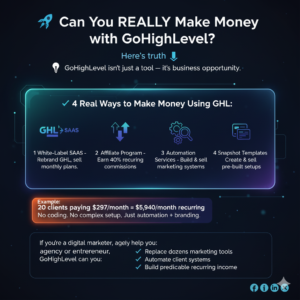
If you’re a fan of GoHighLevel and want to share it with others, you can join the GoHighLevel Affiliate Program.
Why It’s Worth It:
- 💰 Recurring commissions (40% lifetime)
- 🌍 UAE and global-friendly payouts
- 🧠 Access to affiliate dashboards, training, and tracking links
- 🔄 Promote through your own branded domain or funnels
You can even create your own affiliate funnel under your GoHighLevel domain to build your passive income stream.
FAQs About Using Your Own Domain with GoHighLevel
1. Can I use multiple domains in GoHighLevel?
Yes, you can add multiple domains for different websites or funnels. Each sub-account can have its own unique domain.
2. Do I need Cloudflare or GoDaddy for DNS setup?
You can use either. GoHighLevel supports all major registrars like GoDaddy, Namecheap, and Cloudflare.
3. Does GoHighLevel provide hosting for my domain?
Yes. Once connected, GoHighLevel automatically hosts your site, funnel, or membership pages on its servers — you just manage the DNS.
4. Is SSL free on GoHighLevel?
Yes, every connected domain includes free SSL encryption powered by Let’s Encrypt.
5. Can I send emails from my domain in GoHighLevel?
Yes, but you must verify your domain in Mailgun or SMTP and set up SPF/DKIM records for deliverability.
6. Can I use GoHighLevel with WordPress?
Yes. You can connect your WordPress domain via subdomains (e.g., blog.yourdomain.com for WordPress and crm.yourdomain.com for GoHighLevel).
7. What if my domain isn’t connecting?
Check your DNS propagation using whatsmydns.net and ensure your CNAME points to cname.msgsndr.com.
Get 30 Days Free Trial + Free Live Bootcamp to Launch HighLevel Together
Conclusion: Your Domain, Your Brand, Your Control
So — can you use your own domain with GoHighLevel?
✅ Absolutely!
Whether you’re running client websites, launching your own SaaS, or automating your agency workflows, using your own domain in GoHighLevel unlocks full control, better branding, and improved trust.
With GoHighLevel, you can:
- Host websites and funnels under your own name
- Manage CRM and automation under your brand
- Launch a fully white-labeled SaaS business
It’s the ultimate tool for marketers who want complete ownership of their digital ecosystem — without juggling multiple apps.
Get 30 Days Free Trial + Free Live Bootcamp to Launch HighLevel Together
🚀 Ready to Build Your Branded Agency with GoHighLevel?
Start your 14-day free trial today and connect your own domain in minutes.
Get 30 Days Free Trial + Free Live Bootcamp to Launch HighLevel Together