
Introduction: Why Website Legitimacy Matters More Than Ever
In 2025, online scams, phishing websites, and fake stores are more advanced than ever.
The digital world is growing faster, and so are cybercriminals.
For digital marketing agencies, freelancers, and small business owners—your entire workflow relies on:
✔ trustworthy SaaS tools
✔ reliable CRM systems
✔ secure checkout pages
✔ verified platforms like Systeme.io or GoHighLevel
Knowing how to check if a website is legit is no longer optional—it’s an essential business skill.
This guide provides an in-depth, expert-level process to verify website authenticity using psychological cues, technical checks, security tools, and real-world experience.
Table of Contents
How to Check if a Site Is Legit? (Full Guide)
Below is a structured set of 20+ expert-approved checks broken into categories so you can evaluate any website safely.
1. Check the Domain Information (Age, Owner & History)
One of the fastest ways to catch a scam is by checking domain age and registrant data.
Why it matters:
Scam websites are usually less than 6 months old.
Legit businesses often have years of domain history.
Tools to use:
- WHOIS Lookup
- ICANN Lookup
- DomainTools
- Wayback Machine (website history archive)
What to look for:
✔ Domain older than 1–2 years
✔ Owner information not completely hidden
✔ Valid business listed in WHOIS data
✔ Website history matches its claimed purpose
If a website claims “10 years of experience” but the domain is 3 months old → red flag.
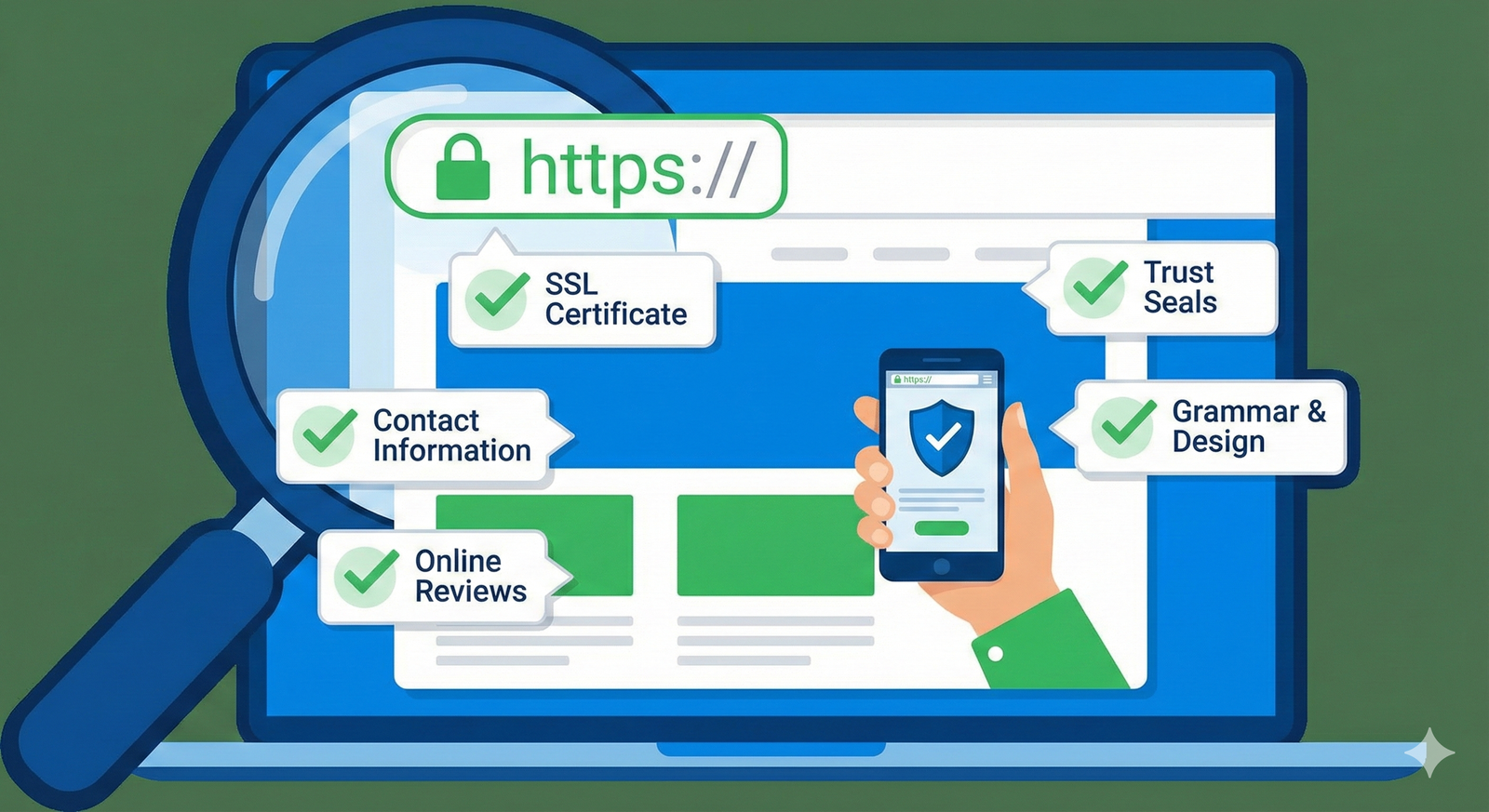
2. Verify the SSL Certificate (HTTPS)
A secure site should always have:
✔ HTTPS in the URL
✔ A padlock symbol
✔ A valid SSL certificate
Red flags:
✘ “Not secure” warnings
✘ Expired SSL
✘ Mismatched certificate information
SSL doesn’t guarantee trust—but lack of SSL guarantees risk.
3. Analyze the Website Design & User Experience
Scam websites often display poor-quality design and UX.
What a legit site usually has:
✔ professional layout
✔ clear branding
✔ working navigation
✔ no broken images
✔ consistent fonts and colors
✔ trust badges or certifications
Red flags include:
✘ Blurry logos
✘ Spelling mistakes
✘ Stock images everywhere
✘ Broken buttons
✘ Inconsistent branding
A real business invests in user experience. Scammers don’t.
4. Look for Real Contact Information
A legitimate website will always provide clear contact options.
Look for:
✔ physical address
✔ verified business number
✔ working email
✔ chat support
✔ company profile links
Red flags:
✘ Only a contact form
✘ No physical address
✘ Fake phone numbers
✘ Gmail/Yahoo email for a “company”
If you can’t contact a business → you shouldn’t trust it.
5. Search for Online Reviews (Google, Trustpilot, Forums)
A website’s reputation is a huge indicator of legitimacy.
Where to check reviews:
- Google Business Profile
- Trustpilot
- Reddit (r/scams, r/entrepreneur, r/smallbusiness)
- G2
- Capterra
- Facebook reviews
What to avoid:
✘ Too many 5-star reviews posted on the same day
✘ Fake profiles with no history
✘ Only testimonials on their own website
Legit brands like Systeme.io have thousands of real reviews across multiple platforms.

6. Verify Social Media Presence
Modern companies have at least one authentic social media profile.
What to look for:
✔ regular posting
✔ real followers
✔ real comments
✔ relevant content
Red flags:
✘ No social media
✘ 20k followers but 1–2 likes per post
✘ Generic stock photos
Real businesses build communities. Fake ones hide.
7. Examine Business Registrations & Legal Pages
A legit business displays transparency.
Valid legal pages include:
✔ Privacy policy
✔ Terms & conditions
✔ Refund policy
✔ Cookie policy
✔ Shipping policy (for ecommerce)
What scammers skip:
✘ No legal pages whatsoever
✘ Policies copied from other sites
✘ Very vague or incomplete terms
Always scroll to the bottom—scams hide here.
8. Check for Transparent Pricing & Payment Security
Especially for SaaS tools like Systeme.io or GoHighLevel.
Valid signs:
✔ secure checkout (HTTPS + gateway)
✔ multiple payment methods
✔ clear pricing breakdown
✔ safe processors like Stripe or PayPal
Red flags:
✘ Only crypto payments
✘ No refund policy
✘ Checkout page looks different from website
A scam website never invests in secure payment systems.
9. Confirm the Website Has Real Content (Not AI-Generated Spam)
Many scams copy or auto-generate content.
Look for:
✔ unique blogs or guides
✔ consistent writing tone
✔ helpful resources
✔ real-world examples
Red flags:
✘ AI content with no real expertise
✘ Duplicate pages
✘ Generic articles with no value
✘ No E-E-A-T signals (Experience, Expertise, Authority, Trust)
High-trust platforms demonstrate knowledge + authority.
10. Check Website Speed & Hosting Quality
Legit businesses invest in good hosting.
Tools:
- GTMetrix
- Google PageSpeed
- Pingdom
Red flags:
✘ extremely slow loading
✘ server errors
✘ cheap hosting with no reliability
Large platforms like Systeme.io run on strong, secure servers with high uptime.
11. Evaluate the Domain Extension (TLD)
Some TLDs are high-risk (.xyz, .top, .work) but this is not always true.
Trusted TLDs include:
✔ .com
✔ .org
✔ .net
✔ .io (popular among SaaS and startups)
✔ .co
Red flags:
✘ Unknown extensions
✘ Extensions used by spam sites
That said, .io is extremely popular and trusted, especially for SaaS companies (Systeme.io, Tidio.io, Linear.io).
12. Inspect the “About Us” Page
Legitimate companies are proud to show:
✔ founders
✔ mission
✔ company story
✔ team photos
✔ press mentions
✔ milestones
Scams usually keep this section vague or empty.
13. Use Website Safety Tools
These tools scan a website for malware and phishing:
- Google Safe Browsing
- VirusTotal
- ScamAdviser
- Norton Safe Web
- McAfee WebAdvisor
If any tool flags the website → avoid it.
14. Confirm the Site Uses Real Integrations
Legit businesses integrate with:
✔ Stripe
✔ PayPal
✔ Zapier
✔ Google Analytics
✔ Facebook Pixel
Fake websites either fake these icons or show invalid integrations.
15. Check Grammar, Spelling & Professional Writing
Poor grammar = poor credibility.
Scam sites often:
✘ misuse punctuation
✘ copy text from other sites
✘ write in broken English
✘ include unrealistic claims
Professional businesses value copywriting.
16. Do a Reverse Image Search
Scammers steal images from:
- Shutterstock
- FreePik
- Competitor sites
Use the following tools:
✔ Google Reverse Image Search
✔ TinEye
If staff photos are stolen → not legit.
17. Look for Verified Business Listings
A real business often appears on:
✔ Google Maps
✔ LinkedIn
✔ Crunchbase
✔ AngelList
✔ Yelp
✔ G2
Startups should have at least LinkedIn presence.
18. Check the Refund Policy
Legit SaaS companies like Systeme.io offer crystal-clear refund policies.
Scam sites have:
✘ no refunds
✘ “all sales final”
✘ vague, confusing wording
✘ hidden refund terms
Always verify before purchasing.
19. Test Customer Support Responsiveness
Send a message.
✔ Does someone reply?
✔ Do they sound professional?
✔ Do emails come from a business domain?
Fraud sites rarely respond—or reply with generic templates.
20. Trust Your Instincts
If something feels off, slow down.
Your intuition catches red flags before your logic does.
Pros & Cons of Website Legitimacy Checks
✔ Pros
- Protects your money
- Prevents identity theft
- Ensures secure SaaS/tool usage
- Avoids fake ecommerce stores
- Helps agencies protect clients
✘ Cons
- Time-consuming
- Requires multiple tools
- Some checks need technical knowledge
Using CRM-driven automation tools like Systeme.io makes verification easier because these platforms are highly trusted, regulated, and widely reviewed.
Pricing Comparison: Systeme.io vs GoHighLevel for Secure Online Purchase
| Feature | Systeme.io | GoHighLevel |
|---|---|---|
| Price Starting | Free | $97/mo |
| SSL | Yes | Yes |
| Secure Checkout | Yes (Stripe/PayPal) | Yes |
| Refund Policy | Clear | Clear |
| Reviews | Excellent | Excellent |
| Trust Level | Very High | Very High |
Both platforms are legitimate, safe, and widely used by marketers worldwide.
FAQs: How to Check if a Site Is Legit?
1. What is the fastest way to check website legitimacy?
Check SSL, domain age, reviews, and contact information.
2. Are .io sites legit?
Yes—many SaaS companies use .io (Systeme.io, Code.io, Linear.io).
3. How do scammers fake legit websites?
They copy designs, create fake reviews, and manipulate search ads.
4. What tools detect fraudulent websites?
VirusTotal, ScamAdviser, Google Safe Browsing.
5. Should I trust a site without reviews?
Be cautious. Lack of reviews doesn’t mean scam—but proceed wisely.
Conclusion: Website Legitimacy Is a Skill Every Digital Marketer Must Master
Whether you’re choosing SaaS platforms, hiring freelancers, buying online, or verifying tools for your agency—knowing how to check if a site is legit protects your business and your clients.
With this expert checklist, you can confidently evaluate any website with accuracy, speed, and consistency.
And if you want to build secure, trustworthy funnels and websites yourself, platforms like Systeme.io make it easy.
CTA: Build Your Online Business Safely With Systeme.io
Create secure funnels, email campaigns, and websites—all in one trusted platform.
👉 Start your FREE Systeme.io trial here:
https://systeme.io/?sa=sa0106705984b7e20123df6b87229ba5d7396d880c